Follow the steps to install On-Screen TAQ Magic Keys . Screenshots are attached for guidance as per versions:-
when you provide your Broker account ID like(Account#1100332944) for license, Our team will update on server ASAP.
For Demo / Free Trial Version Broker account ID not required
1- Open MT5 check sidebar is Navigation Panel is on if not than activated it from View or use shortcut key Ctrl + N
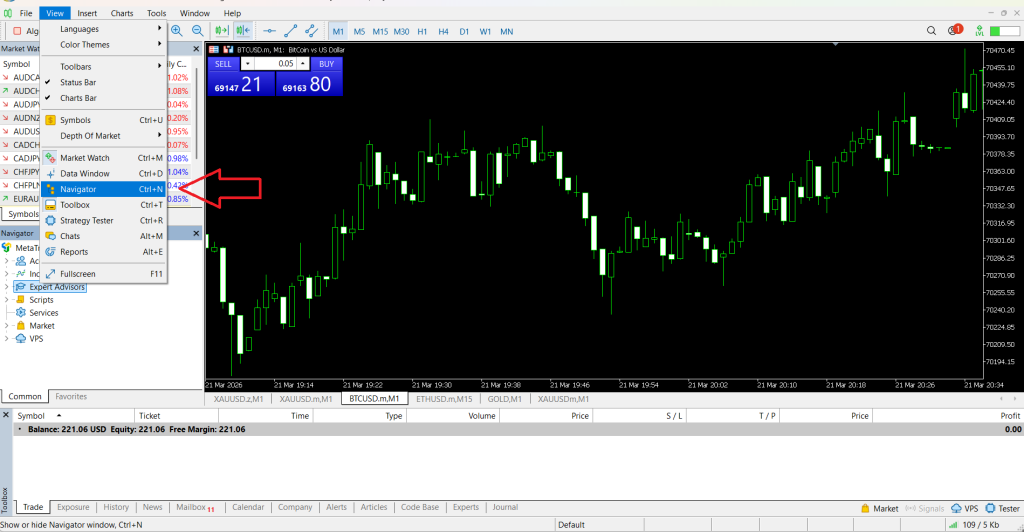
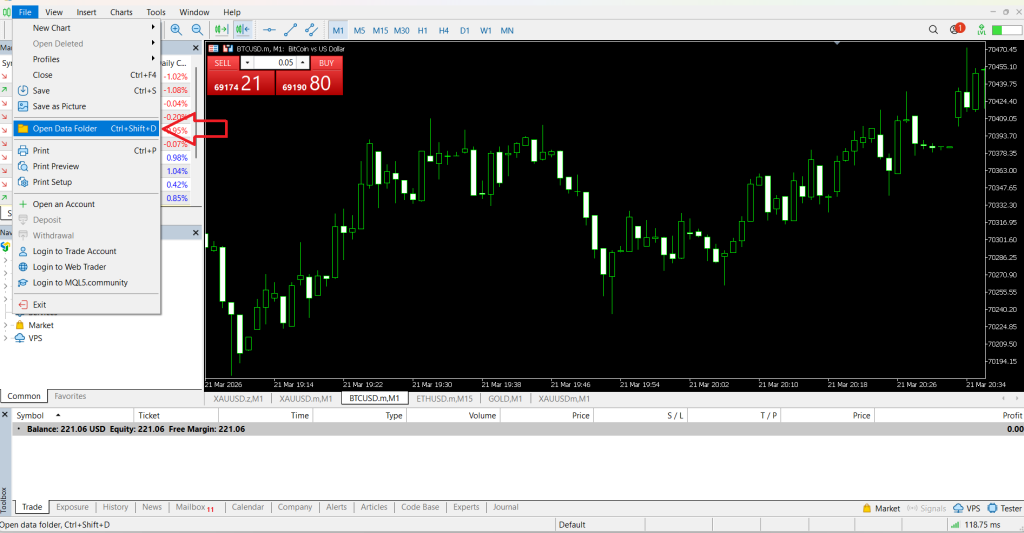
2- Click “File” and open “Open Data Folder”
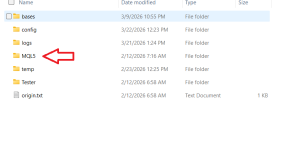
3- window open will be open a folder where the MT5 is installed. Find and pen “MQL5” folder
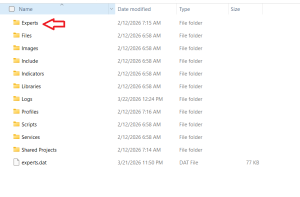
4- next Find and pen “Experts” folder
5- Create new folder and rename with “TAQ Magic Keys” and past your “TAQ-Magic-Keys.ex5” in this folder
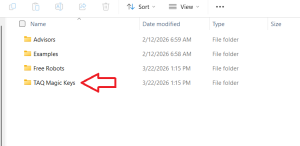
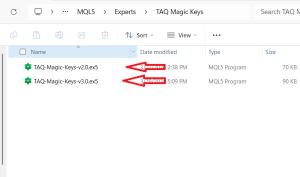
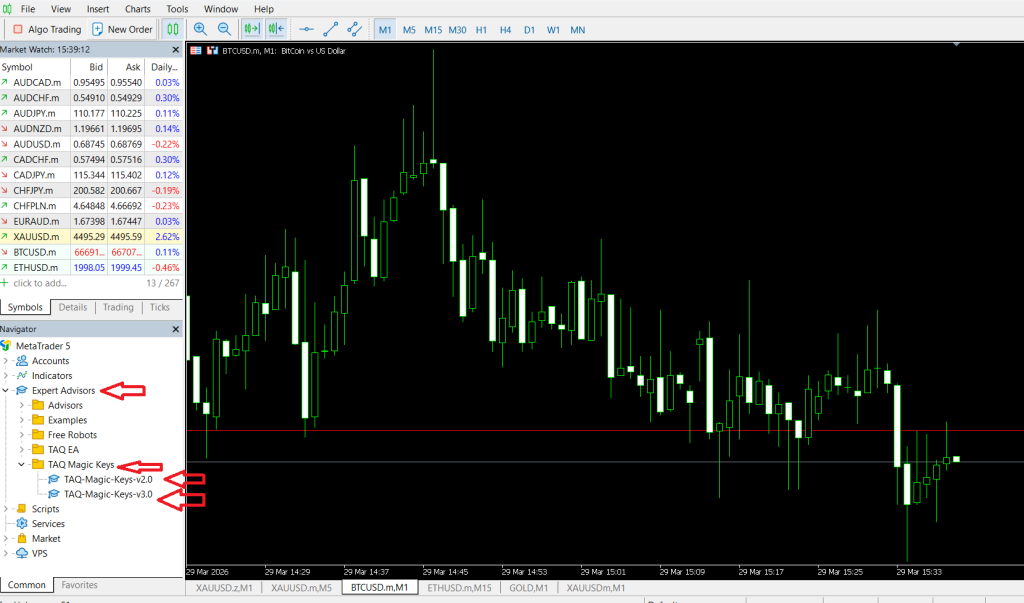
6- Now close and reopen MT5 and see uploaded file in sidebar “Navigation Panel” >> “Expert Advisor” >> “TAQ Magic Keys” >> “TAQ-Magic-Keys.ex5”
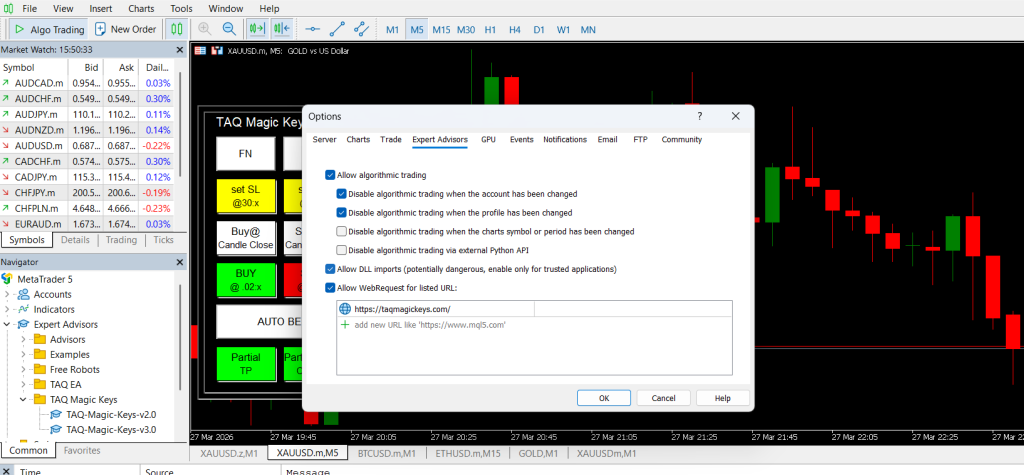
7. Open “Option” Folder in “TOOLS” option
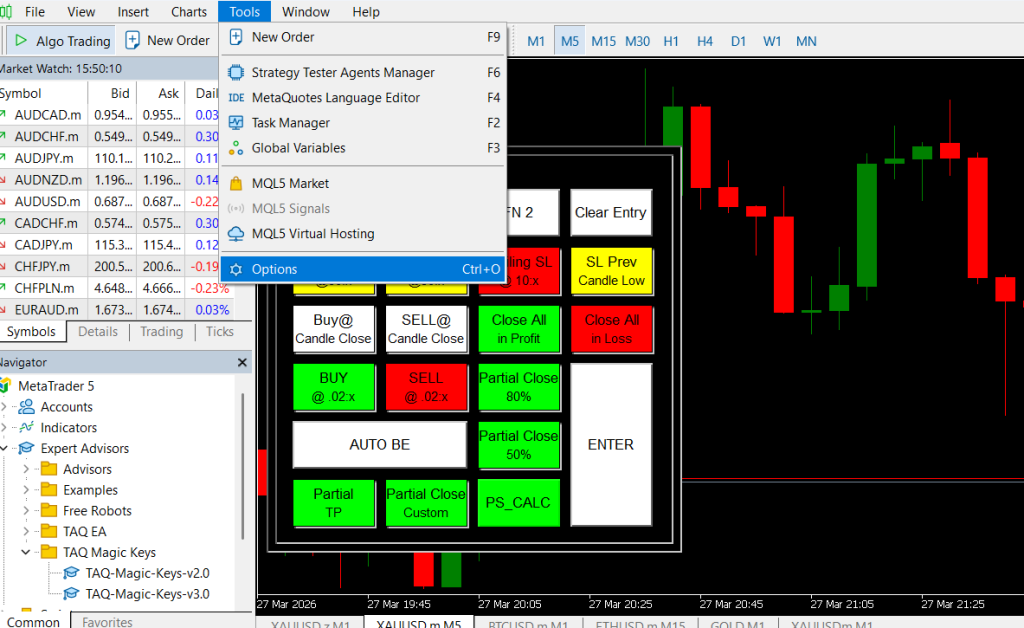
8. Click check box as in following image and type “https://taqmagickeys.com/” website link in Allow WebRequest for listed URL: (this is for online license activation)
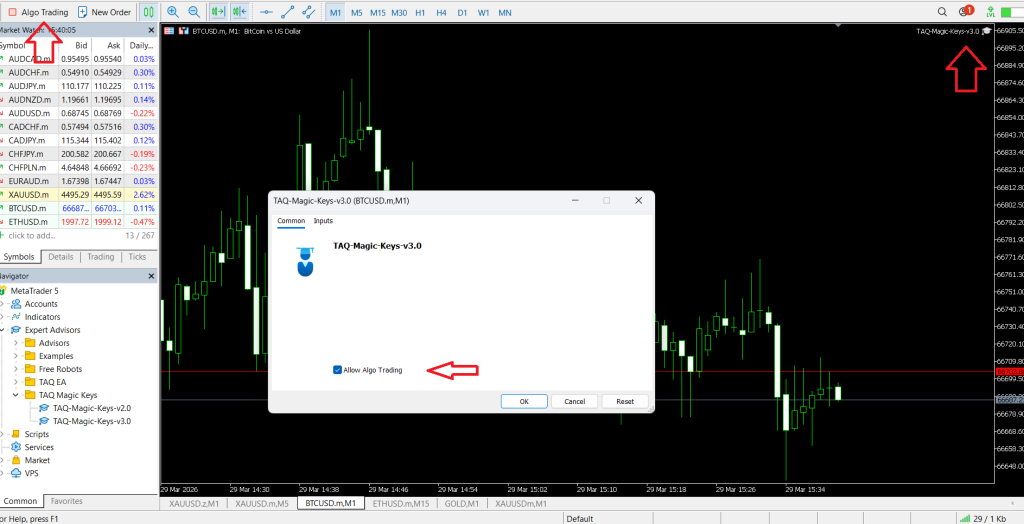
9- Double click the file or drag drop on chart than following widow will open. Enable “Allow Algo Trading”
10- For Version V2.0 in “INPUT” pips multiplier value is 10 by default for XAU/USD, change multiplier to 100 for BTC and adjust value as per requirement for currency pairs
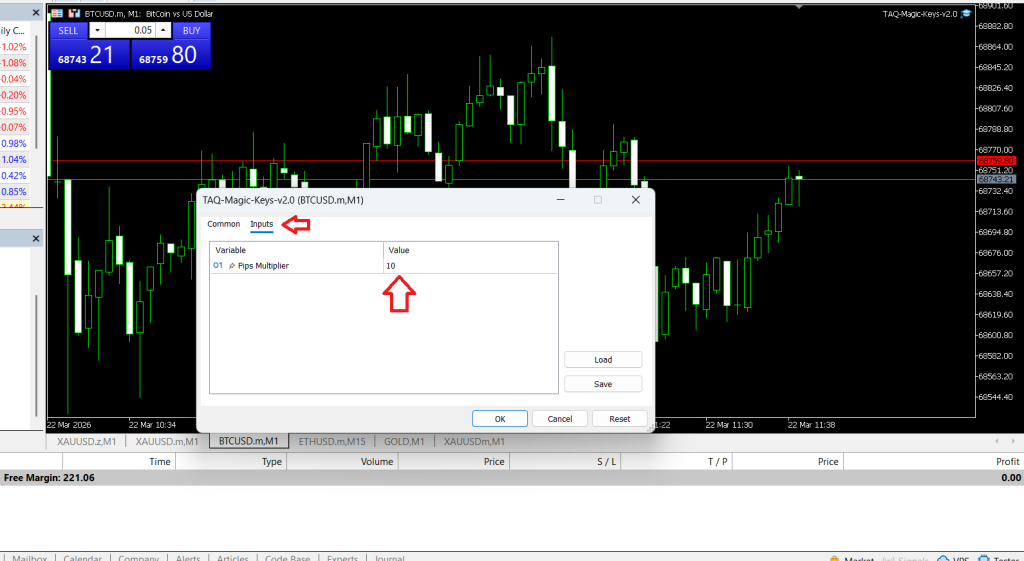
11- “INPUT” pips multiplier value is 10 by default for XAU/USD, change multiplier to 100 for BTC and adjust value as per requirement for currency pairs.
TAQ Magic Keys v3.0 & v5.0 is designed to give Traders full flexibility to customize settings according to their own trading preferences, strategies, risk level, and trade management. see details in How to configure V3.0 & How to configure V5.0
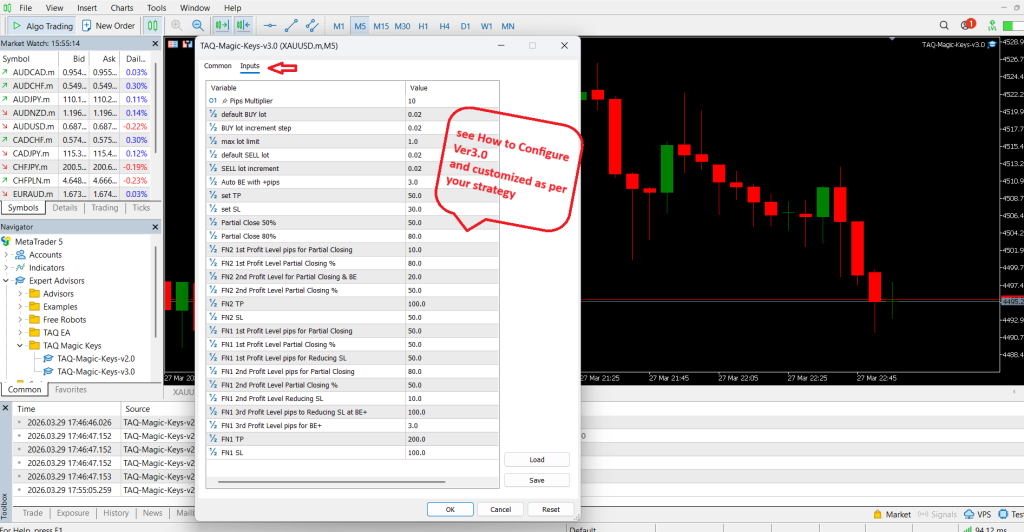
12- For more confirmation open “Expert” widow at bottom as in image. Following details will appear
POST DATA: account=1100332944
[TAQ Magic Keys] Server response: VALID|2026-03-29 23:59:16|3.0
License Expiry: 2026-03-29 23:59:16
Version: 3.0
✅ License VALID
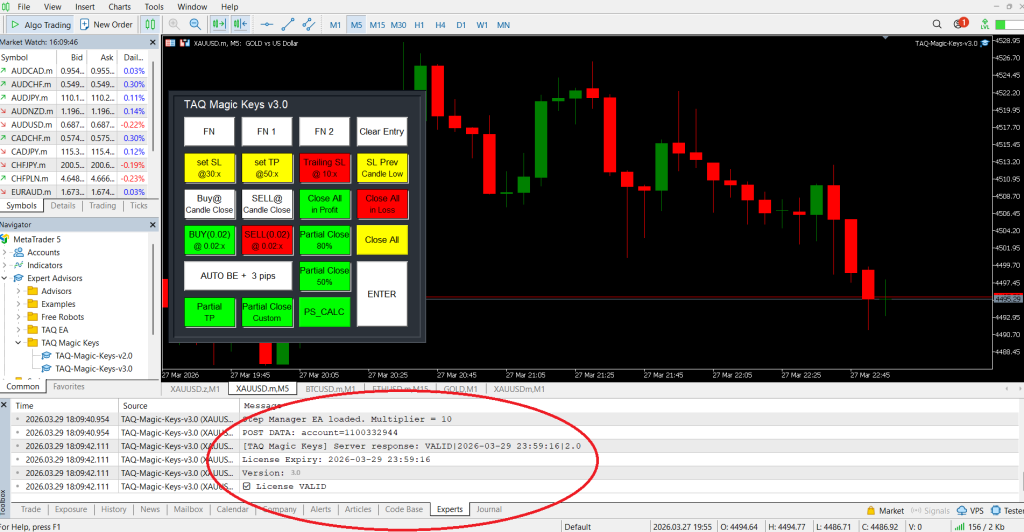
Now your on screen Trading panel is active to manage live trades. This is only helpful trading tool, is not responsible of your mis management.
Good Luck! and hopeful this will helpful to make you more profitable.