Here we describe all features of “TAQ Magic Keys” and also discuss all Keys function and how to use theme to manage precise and auto trading:
- Risk calculation to open trade
- Set automatic break-even price
- Set 50% or 80% partial closing
- Set custom partial closing
- Set pips for 50% partial TP
- Close all trades in profit or in loss
- Move stop loss with precision in pips
- Target the whole position
- Fast pending at candle close execute either Sell or Buy
- Manage trade levels with click eg. based on RR
- custom scripts and automations *Customize designing only
- Trailing stop loss to previous candle high or low
- Trailing stop loss as per pips selected
- Instant buy or sell
Magic Keys Function to Manage Trades
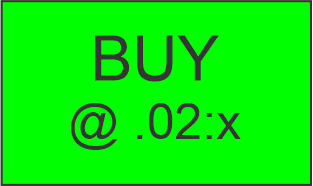
To execute Buy Trade. First select lot size by clicking this button. Lot size 0.02 will be added on each click. checked the final trade lot size and click “Enter Button” to execute Buy Trade. (1st Click = .02 lot) (2nd Click = .04 lot) and so on @ .02:x
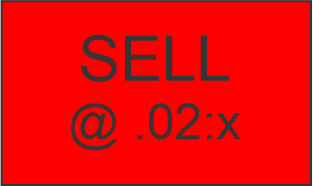
To execute Sell Trade. First select lot size by clicking this button. Lot size 0.02 will be added on each click. checked the final trade lot size and click “Enter Button” to execute Sell Trade. (1st Click = .02 lot) (2nd Click = .04 lot) and so on @ .02:x
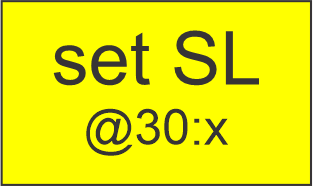
To set SL for running trades, click this button. 30pips SL will be added on each click. Checked the final pips for SL and click “Enter Button” to execute SL. (1st Click = 30pips) (2nd Click = 60pips) and so on @30:x

To set TP for running trades, click this button. 50pips TP will be added on each click. Checked the final pips for TP and click “Enter Button” to execute TP. (1st Click = 50pips) (2nd Click = 100pips) and so on @50:x

To manage SL at previous candle high/low for Sell/Buy trades. click this button. SL will automatically move to every next candle formed. If once SL set and you want to stop automatic move to next candle than again click this button, SL will remain fix where you stop it
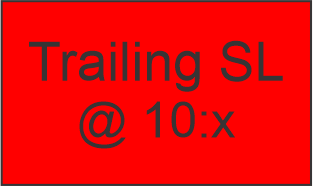
To manage Trailing SL, click this button. 10pips SL will be added on each click. Checked the final pips for Trailing SL and click “Enter Button” to execute Trailing SL. (1st Click = 10pips) (2nd Click = 20pips) and so on @10:x

If your some trades are running in profit and some still in loss, and you want to close all your position running in Loss on the current symbol. Click this button to applies this to all trades running in loss.

If your all trades running in profit and some in profit, and you want to close all your position only running in Profits on the current symbol. Click this button to applies this to all trades running in profits.
Click this button to instant partial close 80% portion of your all position running. This applies to all trades either in profits or loss. Function of this button to cut lot size to 80%. If 0.1 lot size running in profit, this will secure and close 0.08 lot and rest 0.02 lot will continue….
Click this button to instant partial close 50% portion of your all position running. This applies to all trades either in profits or loss. Function of this button to cut lot size to 50%. If 0.1 lot size running in profit, this will secure and close 0.05 lot and rest 0.05 lot will continue….
Custom partial closing, percentage you can select. On each click 10% will be added. Check the final percentage and click “Enter Button” to execute. (1st Click = 10%) (2nd Click = 20%) and so on @10:x
This key allows you to set 50% partial take profit at desired pips. When they get hit, 50% of the position volume gets closed. On each click 5pips will be added. Click “Enter Button” to execute. (1st Click = 5pips) (2nd Click = 10pips) and so on @5:x

To execute pending Buy at current candle closing. Select lot size by clicking this button. Lot size 0.02 will be added on each click. checked the final trade lot size and click “Enter Button” to set pending Buy. Automatically execute trade exact at candle closing price.

To execute pending Sell at current candle closing. Select lot size by clicking this button. Lot size 0.02 will be added on each click. checked the final trade lot size and click “Enter Button” to set pending Sell. Automatically execute trade exact at candle closing price.

This key allows you to set breakeven trigger when price move in profit from entry price. When it gets hit, SL are automatically moved to entry price. Here we set BE at + 7 pips from entry price.
Calculate lot size before to open trade, press this button and the trade calculator will show on your screen. Type SL pips, Risk % and contract size. Account balance auto get, the calculator will give Lot size to trade

FN keys can be used to activate your own scripts or, if needed, develop functionalities specific to your needs.

My own scripts. it will set SL=30pips, TP=100pips, Partial Closing 50%@+20pip, 50%@+30pip, Breakeven SL@50pips

My own scripts. it will set SL=30pips, TP=100pips, Partial Closing 80%@+10pip, 50%@+20pip, Breakeven SL@50pips

This key clear all magic keys logic executed. If wrong parameter selected before execution, than this key clear that parameter to select corrected once.

This key is use to execute rest magic keys functions.
………….